
DECEMBER 8 2025 - 15 MIN READ
Listen to this blog post as an AI podcast
Top 11 When2meet Alternatives for Smoother Scheduling
Table of Contents
Finding good When2meet alternatives starts with understanding why people use this scheduling tool in the first place.
When2meet provides a quick way to check everyone’s availability without the need to create an account. You simply load a grid, pick your free time, and share the link. However, good as it is, When2meet has some limitations.
For example, it’s not well designed to handle larger teams. It’s a bit limited in terms of reminders, meeting links, or automated scheduling. Fortunately, there are amazing When2meet alternatives you can switch to for convenience.
Today, we will explore options like WhenAvailable, OnceHub, and Calendly so you can see the gaps they can fill. So keep reading to find out the best When2Meet alternatives that may fit your needs.
Quick Summary
- Best for Businesses: OnceHub, Bookafy, HubSpot, TimeTap
- Best for Personal Use: Calendly, WhenAvailable, Setmore
- Best for Budget Needs: Koalendar, Setmore, Appointlet, Bookafy
- Best for Beginners: WhenAvailable, HubSpot, Setmore
When2meet: Features and Limitations
When2meet is a free, basic scheduling tool that helps people find meeting times without any conflicts. You create a poll with possible dates and times, share a link, and everyone marks when they're free. The system then shows which times work best for the whole group.
The main appeal of When2meet is its simplicity. You don't need to create an account or pay anything to use it.
The grid-based interface shows you at a glance when most people can meet. This works well for small, casual group meetings, such as a book club or a round of golf with friends, where exact meeting times aren't critical.
Here’s an example of a When2meet availability poll for a group of 6. The highlighted segment shows the period where the group’s availability coincides.
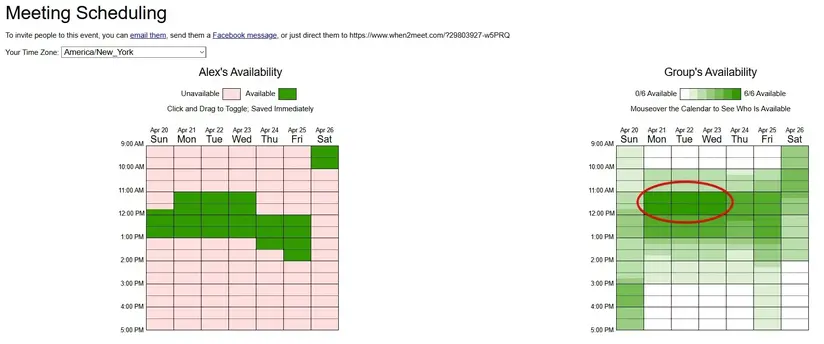
Image via When2meet
However, When2meet has clear limitations for many users. For instance, the interface is outdated and can be confusing for first-timers. It doesn't work well on mobile phones, which is a major problem since most people check their schedules on the go.
You also can't connect it to tools like Google Calendar or Outlook.
That aside, you won't find features like automatic reminders or booking confirmations in When2meet. For businesses that need to schedule meetings or teams that work across different time zones, these missing features cause real problems.
Many users also report that When2meet sometimes loses data or shows errors when too many participants use it simultaneously. If you need reliability for important meetings, such as a board meeting, this is a serious concern.
As your scheduling needs grow beyond simple group polls, you'll likely need more robust When2meet alternatives that offer better design, more features, and stronger reliability.
Also Read:
How We Chose the Best When2meet Alternatives
Here are the factors we considered when creating our list of the top When2meet alternatives.
- Ease of Use: The best When2meet alternatives should feel simple from the first click. We verified that users can submit their availability quickly without needing additional instructions. A smooth setup saves time for everyone in the group.
- Calendar Integrations: You want a tool that connects well with your existing calendar to avoid confusion. The best When2meet alternatives should automatically import your saved calendar events to reduce manual errors.
- Time Zone Support: Strong time zone handling is crucial when selecting the right When2meet alternatives. A tool that adjusts times correctly prevents confusion. It keeps everyone on the same page, regardless of their location.
- Automation Features: Automation saves time and energy. We looked at When2meet alternatives that automate reminders and send out confirmations. This frees up teams and individuals to focus on more pressing matters.
- Mobile Support: Mobile phones are the most used devices right now. So the best When2meet alternatives need to have a strong mobile performance. This adds flexibility.
- Pricing: Every team has a different budget, so pricing is a crucial factor when selecting the right When2meet alternatives. We’ve added a good mix of tools that suit different needs and budgets.
11 Best When2meet Alternatives for 2026
While When2meet offers basic scheduling features, you might need something that can handle your needs as your business grows. The right When2meet alternative gives you better calendar connections, mobile access, and helpful reminders.
Let's look at the 11 top When2meet alternatives that can make scheduling meetings easier.
1. WhenAvailable
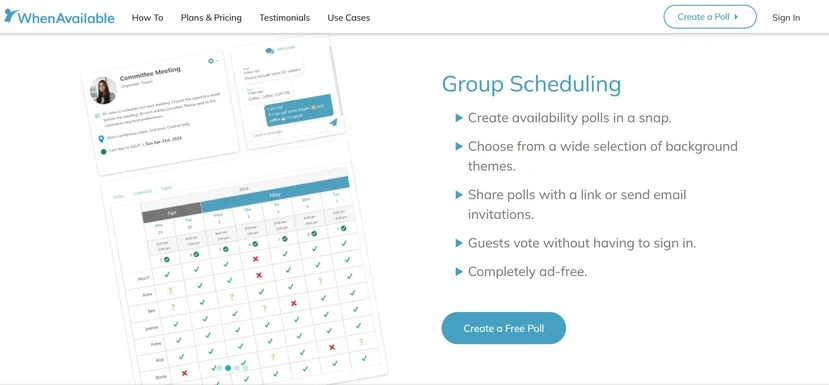
Image via WhenAvailable
WhenAvailable is a user-friendly group event planner. Unlike basic When2meet alternatives, it focuses on making coordination painless for everyone involved.
The clean, modern interface works great on both computers and phones. This matters because most people check their schedules on the go. You won't frustrate participants with tiny text or confusing layouts that don't fit their screens.
The top When2Meet alternative connects with Google Calendar and other popular calendar apps. This means you can see your existing commitments while picking available times, and new meetings show up automatically once scheduled.
The system clearly shows which meeting times work best for the whole group. You can create polls and share links with attendees to ask for their preferred times.
You can use it to plan for different types of meetings, including casual ones like a family reunion or a weekend barbecue.
Overall, it’s great for avoiding scheduling conflicts and letting people choose convenient meeting times.
Key Features:
- Unlimited poll creation in all plans
- Wide selection of background themes
- Guest privacy controls for poll results
- No-login requirement for participants
- Real-time availability tracking
- Participant limits to prevent overbooking
- Google Calendar synchronization (Premium)
- CSV/XLSX data export options (Premium)
- Ad-free experience across all plans
Pros:
- Reduces coordination time from hours to minutes
- Creates a frictionless experience for all participants
- Maintains privacy with optional anonymous voting
- Prevents scheduling conflicts with calendar integration
- Offers flexible one-time payment option for single events
Cons:
- Free plan limits polls to 20 guests
- Advanced features like calendar sync are only available in paid plans
Pricing:
- Basic (Free): $0 (20 guests per poll, 1 guest group)
- OneTime: $10 one-time payment (unlimited guests per poll and advanced features)
- Premium: $38/year (unlimited guests, guest groups and advanced features)

Image via WhenAvailable
Tool Level
- Beginner
Usability
- WhenAvailable is easy to use and doesn’t require any training to handle it well.
Pro Tip: Use the free version to set up schedules for a team of up to 20 people. You’ll have access to the most vital features, such as chat messages.
Also Read:
2. OnceHub
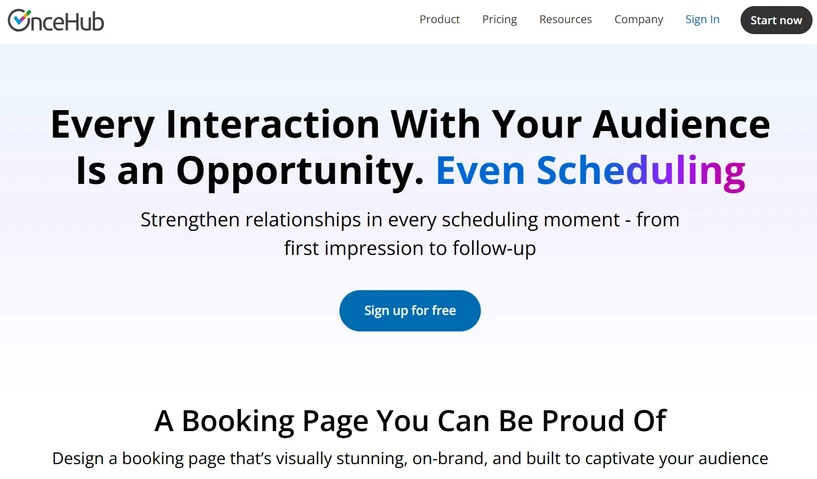
Image via OnceHub
OnceHub is a versatile appointment-scheduling platform suitable for businesses of all sizes. It handles complex scheduling requirements across industries like healthcare, legal services, education, and professional consulting.
As one of the best When2meet alternatives, OnceHub streamlines the entire scheduling process from start to finish. It uses smart algorithms to find optimal meeting times based on everyone's availability while preventing booking conflicts.
You set your working hours and buffer times, and the system does the rest.
It’s best for complex, enterprise-grade scheduling requirements.
Key Features:
- Customizable scheduling pages with branding options
- Automated email, SMS, and voice reminders
- 24/7 self-service booking portal
- Group and round-robin scheduling capabilities
- Intelligent conflict management algorithms
- Comprehensive reporting and analytics dashboard
- Integrations with popular calendars and CRMs
- Built-in online payment options
Pros:
- Eliminates scheduling conflicts with smart availability management
- Reduces no-shows significantly through multi-channel reminders
- Enhances client experience with self-service scheduling
- Improves team efficiency with workload distribution tools
Cons:
- The free plan offers limited functionality compared to top When2meet alternatives like WhenAvailable
- Initial setup requires time to configure properly
Pricing:
- Basic (Free): $0
- Schedule: $12/seat/month
- Route: $23/seat/month
- Engage: $47/seat/month
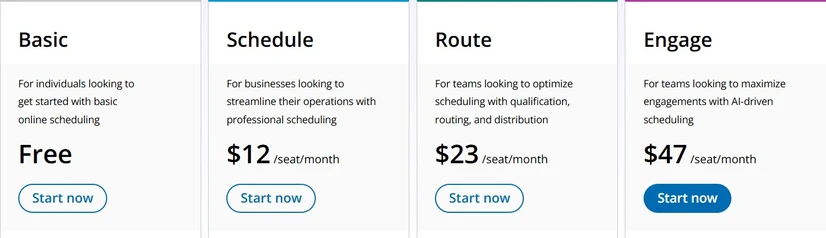
Image via OnceHub
Tool Level
- Intermediate
Usability
- Compared to other When2meet alternatives, OnceHub requires a bit of familiarity before you start getting the best out of it.
3. Calendly
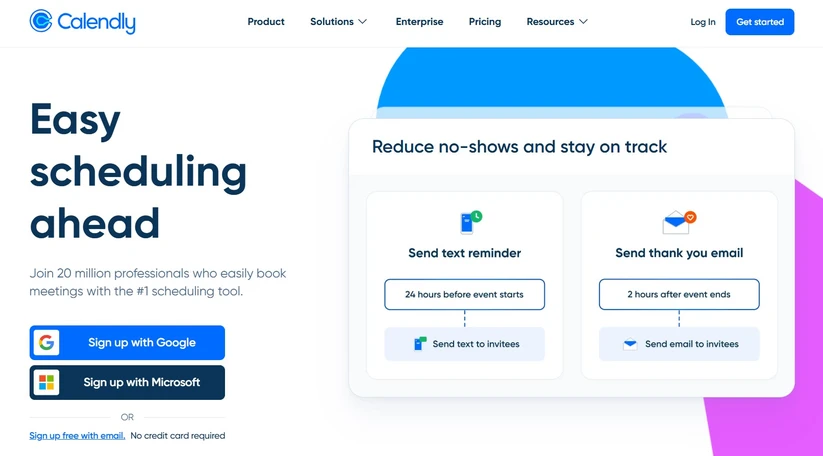
Image via Calendly
Calendly is a leading cloud-based scheduling tool that has become the standard for simplified appointment booking.
This When2meet alternative eliminates scheduling headaches by creating a streamlined process where users can book time slots based on their real-time availability.
It has a clean, intuitive interface that works equally well for individuals and teams. You can use it to create polls for different types of meetings. You can share a personalized link where people can book time with you based on your availability.
Overall, it’s suitable for organizing simple team meetings or even board meetings.
Key Features:
- Customizable booking links for different meeting types
- Multiple event type options (one-on-one meetings, group, round-robin)
- Integration with up to six calendar platforms
- Automated reminder and confirmation notifications
- Time zone detection for global scheduling
- Customizable buffer times between meetings
- Built-in online payment capabilities
- Video conferencing integration
Pros:
- Saves up to 8 hours per week, typically spent on scheduling meetings
- Maintains professional brand image with customized booking pages
- Prevents scheduling mistakes with automatic time zone conversion
- Allows clients to reschedule themselves, reducing administrative work
Cons:
- The free plan limits you to one event type and one calendar connection
- Customer support is primarily available through email, not phone
Pricing:
- Basic (Free): $0
- Standard: $12/seat/month
- Teams: $20/seat/month
- Enterprise: Starts at $15,000/year

Image via Calendly
Tool Level
- Intermediate
Usability
- While it may have an intuitive interface, Calendly still requires a bit of training for first-time users.
Pro Tip: Use Calendly's video conferencing feature to set up virtual reunions and professional meetings from anywhere without having to install other tools like Zoom.
Also Read:
- How to Start an Online Coaching Business and Attract Clients
- How to Host a Book Club Meeting Successfully: Easy Steps
Target Users: Individuals, sales teams, recruiters, consultants, and businesses of all sizes.
4. Bookafy
Image via Bookafy
Bookafy is a feature-rich appointment-booking tool suitable for businesses across various industries. It offers automation tools, extensive customization options, and integrations to streamline booking processes and improve customer engagement.
With this When2meet alternative, you can create branded scheduling pages that reflect your business identity.
It automatically syncs with popular calendar apps to prevent double bookings and ensure your real-time availability is always accurate.
To summarize, it’s a good option for checking real-time availability and scheduling professional business events.
Key Features:
- Customizable booking pages with branding elements
- Two-way calendar sync with Google, Outlook, and iCloud
- Recurring appointment scheduling options
- Integrated payment processing via Stripe and PayPal
- Group event and class scheduling capabilities
- Automatic reminders via SMS and email
- Mobile-responsive interface for on-the-go management
- HIPAA compliance for healthcare organizations
Pros:
- Simplifies client scheduling with an intuitive booking process
- Minimizes no-shows through automated reminder systems
- Increases revenue with seamless payment collection
- Protects sensitive data with security compliance features
Cons:
- No dedicated mobile app, only browser-based access
- The interface may feel less polished than top When2meet alternatives like WhenAvailable
Pricing:
- Free Plan
- Pro: $9/user/month
- Pro+: $13/user/month
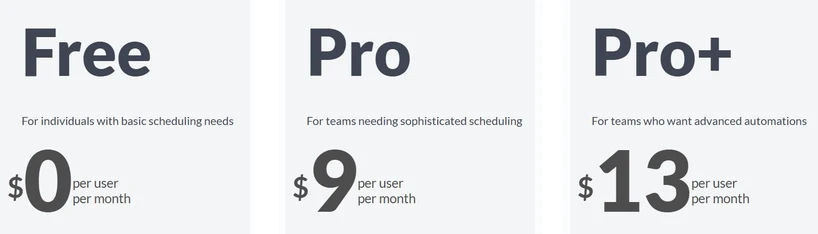
Image via Bookafy
Tool Level
- Expert
Usability
- Bookafy packs a lot of features designed for large teams. There’s a steep and continuous learning curve involved for beginners.
Pro Tip: Utilize Bookafy’s rich features like calendar syncing and customization to manage bookings across all your departments.
5. HubSpot Free Meeting Scheduler
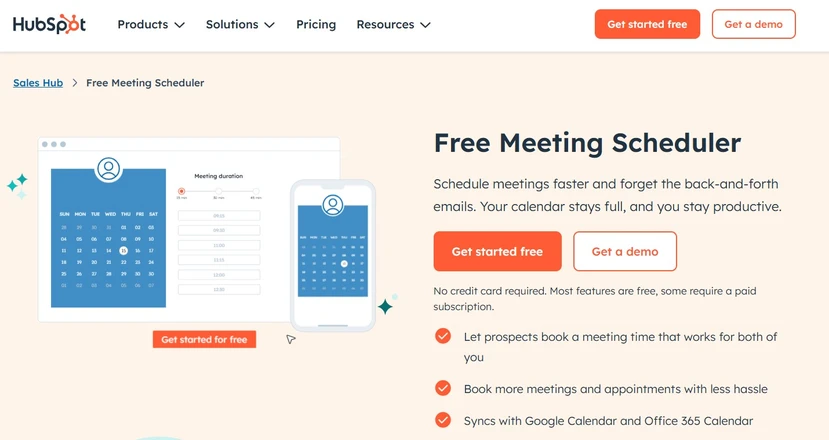
Image via HubSpot
HubSpot offers a powerful meeting scheduling app integrated within HubSpot's CRM platform. It streamlines appointment booking for sales teams, customer service representatives, and business professionals without the hassle of back-and-forth emails.
What sets HubSpot apart from other When2meet alternatives is its deep integration with HubSpot's broader suite of tools.
When someone books time with you, their information automatically syncs with your CRM, creating records for new contacts and tracking interactions.
If you already use HubSpot’s other products, then this will fit right into your workflow.
Key Features:
- Multiple types of meeting links (one-on-one meetings, group, round-robin)
- Customizable meeting forms for client information
- Extended booking date range for premium users
- Direct CRM integration for contact management
- Calendar sync with Google Calendar and Office 365
- Embedded calendar options for websites
- Automatic reminders via email and SMS
- Payment integration options
Pros:
- Automates lead capture through the booking process
- Eliminates manual approval and data entry with CRM integration
- Provides context for meetings with contact history
- Improves follow-up with automated workflows
Cons:
- There’s a learning curve for new users unfamiliar with HubSpot
Pricing:
It’s a free tool provided by HubSpot.
Tool Level
- Beginner
Usability
- HubSpot is easy to use and is one of the most popular When2meet alternatives. Anyone who has interacted with other HubSpot variations will find this tool familiar.
Also Read:
- How To Host a Virtual Family Reunion Like a Pro
- How to Run a Team Meeting Successfully: Effective Tips
6. Appointlet
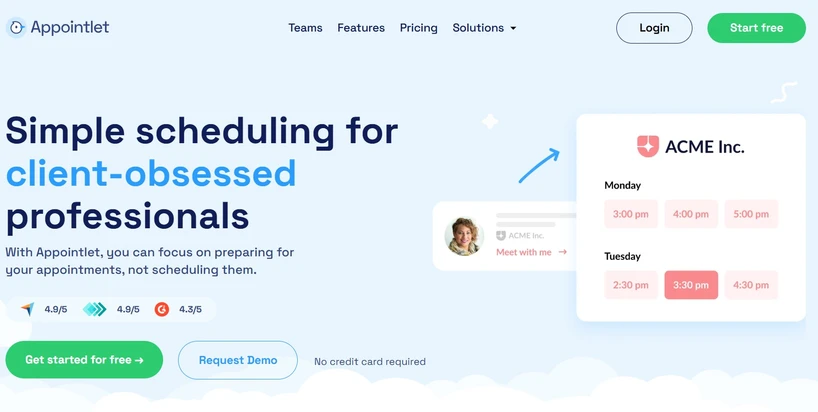
Image via Appointlet
Appointlet is a cloud-based meeting scheduling app suitable for businesses of all sizes. It simplifies the booking process with customizable scheduling pages, automatic reminders, and integrations with popular tools.
This straightforward When2meet alternative works well for service-based businesses that need a reliable, user-friendly scheduling tool.
You can create branded booking pages and share them directly or embed them on your website.
To conclude, you can consider this if you have a service-based business, as it’s good for scheduling official appointments.
Key Features:
- Customizable scheduling pages with welcome messages
- Unlimited meetings on all plans
- Calendar integrations with Google, Office 365, and iCloud
- Video conferencing connections with Zoom and others
- Automated reminder notifications
- Time zone management for global clients
- Embeddable booking widgets for websites
- Online payment processing via Stripe
Pros:
- Offers unlimited meetings even on the free plan
- Prevents scheduling conflicts with real-time availability
- Provides a great user experience with a simple interface
- Reduces costs with an affordable pricing structure
Cons:
- It offers limited customization for booking page designs
- It lacks some advanced features
Pricing:
- Free: $0 for up to 5 members and unlimited meetings
- Premium: $12/user/month (Advanced features)
- Enterprise: Custom Pricing
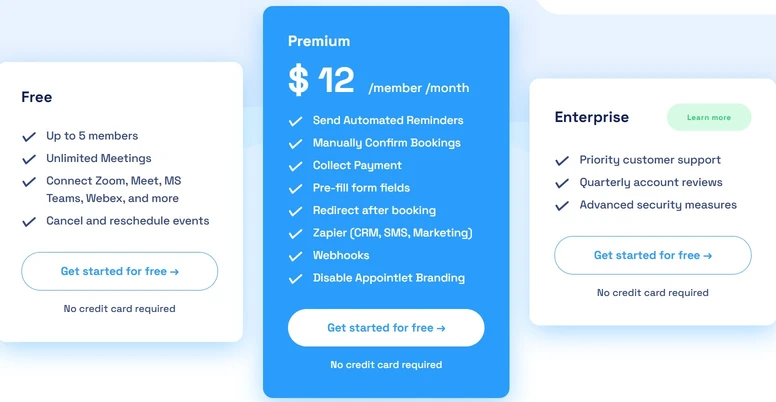
Image via Appointlet
Tool Level
- Intermediate
Usability
- Appointlet is user-friendly for intermediate professionals who already have experience handling similar tools.
Pro Tip: Use Appointlet’s ability to embed branded booking pages for a wider reach if you’re planning a public event.
7. TimeTap

Image via TimeTap
TimeTap is a detailed appointment scheduling software solution designed for complex scheduling needs.
It serves businesses across industries, such as healthcare, law, financial services, and education, with advanced tools to streamline workflows.
This platform stands out for its flexibility in handling detailed scheduling requirements.
Features like waitlist management, HIPAA compliance, and customizable booking pages make this When2meet alternative ideal for businesses with specific scheduling needs.
Overall, it’s great for those who have custom scheduling needs, such as recurring meetings or complex rules.
Key Features:
- Two-way calendar integration with multiple platforms
- Customizable booking pages for staff or locations
- Self-service rescheduling portal for clients
- Automated SMS and email notifications
- Waitlist management for fully booked slots
- HIPAA and GDPR compliance options
- Document upload capabilities during booking
- Comprehensive reporting and analytics tools
Pros:
- Prevents scheduling mishaps with comprehensive calendar connections
- Increases appointment capacity with waitlist functionality
- Protects sensitive client information with security compliance
- Adapts to specific industry requirements with customization
Cons:
- Higher price point than basic scheduling tools
- Steeper learning curve due to advanced features
Pricing:
- Professional: $28.45/month
- Business: $50.95/month
- Enterprise: Custom pricing
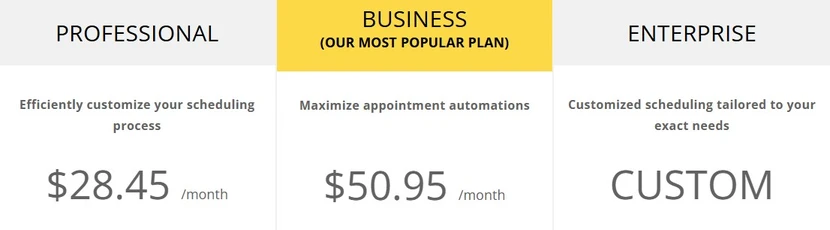
Image via TimeTap
Tool Level
- Expert
Usability
- TimeTap is a team-oriented tool, offering a wide range of features. It requires some training for users to get the best out of it.
Pro Tip: TimeTap’s HIPAA and GDPR compliance make it a good option for handling clients from European markets where regulations are stricter.
Also Read:
Target Users: Businesses with complex scheduling requirements, especially in regulated industries.
8. Setmore
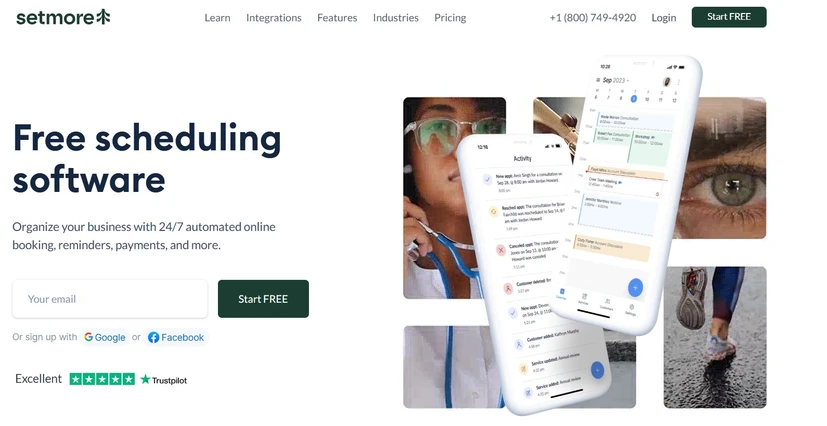
Image via Setmore
Setmore is a versatile appointment booking tool designed for service-based businesses and entrepreneurs.
This When2meet alternative simplifies the booking process, manages team calendars, and integrates with popular tools to enhance customer experience.
The platform's standout feature is its generous free plan that supports up to four users, making it perfect for small businesses and startups.
You can create branded booking pages, enable 24/7 online scheduling, and send automatic reminders.
Since it has a free plan, it’s good for new entrepreneurs or freelancers, especially those who provide services.
Key Features:
- Customizable booking pages with branding options
- Self-service online booking through various channels
- Automated email and SMS reminders
- Payment processing through Square, Stripe, and PayPal
- Staff scheduling with multiple calendar management
- Calendar sync with Google, Outlook, and Office 365
- Video conferencing integration for online meetings
- Customer database for client information
Pros:
- Offers substantial features on the free plan
- Reduces administrative work with self-service booking
- Increases revenue with integrated payment options
- Supports team collaboration with multi-user access
Cons:
- Limited analytics tools on lower-tier plans
- Fewer customization options than premium When2meet alternatives
Pricing:
- Free: $0 for up to 4 users
- Pro: $12/month for unlimited user

Image via Setmore
Tool Level
- Beginner
Usability
- Setmore is simple and easy to navigate. First-time users only need a few minutes with it to get a good hang of how to schedule events or meetings.
Target Users: Service-based small businesses, entrepreneurs, and teams of up to four people.
9. FluentBooking
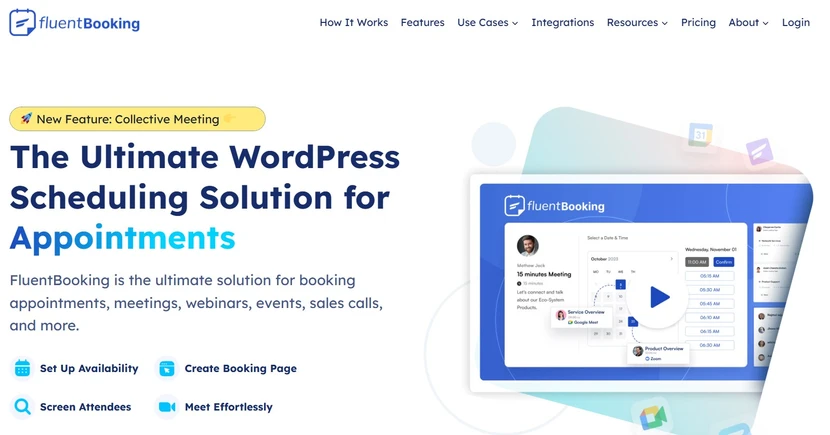
Image via FluentBooking
FluentBooking is a comprehensive appointment booking tool and event booking plugin designed specifically for WordPress users.
It provides an all-in-one solution for managing appointments, events, and client interactions directly from your WordPress dashboard.
What makes FluentBooking special amongst other When2meet alternatives is its deep integration with WordPress sites.
If you already run your business on WordPress, this plugin offers seamless scheduling capabilities without sending clients to external platforms.
It’s best to use it as a WordPress plugin for on-site bookings.
Key Features:
- Unlimited meetings and calendars
- Multiple meeting types for diverse needs
- Real-time calendar sync with Google and others
- Customizable booking pages with branding
- Automated email and SMS notifications
- Flexible meeting location options (virtual or in-person)
- CRM integration with FluentCRM
- Payment processing for services and events
Pros:
- Integrates perfectly with existing WordPress sites
- Eliminates the need for third-party scheduling services
- Offers one-time payment option instead of subscriptions
- Maintains brand consistency across all touchpoints
Cons:
- Only works with WordPress websites
- Limited third-party integrations compared to standalone tools
Pricing:
Unlike other When2meet alternatives on this list, FluentBooking offers two categories of pricing:
-
Annual:
- $79/year for a 1-site license
- $199/year for a 5-site license
- $399/year for a 50-site license

Image via FluentBooking
-
Lifetime (one-off payment):
- $249 for a 1-site license
- $436 for a 5-site license
- $749 for a 50-site license

Image via FluentBooking
Tool Level
- Expert
Usability
- FluentBooking is a business-oriented tool with a considerably steep learning curve. Beginners will need time to learn how to use it.
Pro Tip: Make use of the FluentCRM integration to automate repetitive tasks like scheduling events without needing an external tool.
10. Koalendar
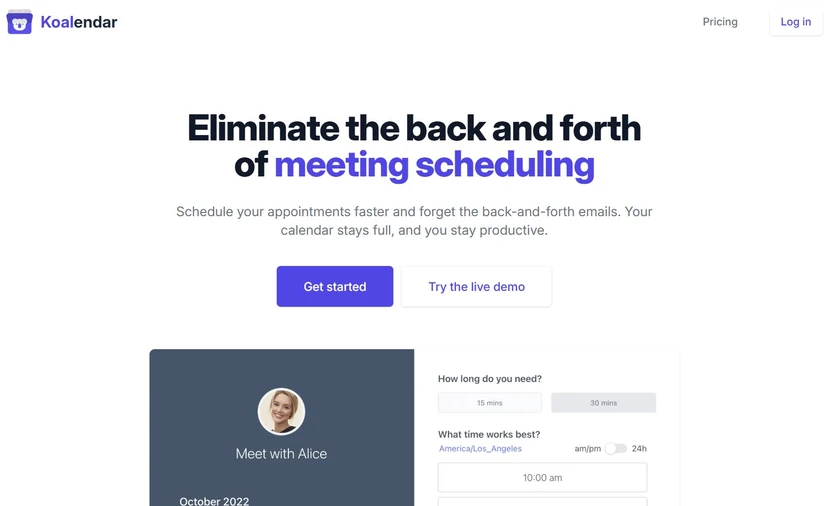
Image via Koalendar
This When2meet alternative is a user-friendly appointment scheduling platform designed to eliminate the back-and-forth of running and coordinating meetings.
It's particularly suited for professionals, small businesses, and educators who need a straightforward scheduling solution.
It focuses on simplicity while still offering essential features needed for efficient scheduling. Koalendar's clean, user-friendly interface makes it easy for anyone to set up and use, regardless of technical expertise.
Since it offers lifetime licenses, it’s a good meeting scheduling tool for those who don’t mind paying one time and using the tool forever.
Key Features:
- Unlimited booking page creation
- Calendar sync with Google, Outlook, and Apple
- Automatic video meeting link generation for Google Meet and other platforms
- Automated email and SMS notifications
- Time zone detection for global scheduling
- Payment processing integration (Premium)
- Website embedding capabilities
- Mobile-responsive booking experience
Pros:
- Gets you started quickly with minimal setup time
- Offers generous features on the free plan
- Creates a hassle-free booking experience for clients
- Works seamlessly across devices and platforms
Cons:
- Fewer team scheduling features than enterprise tools
- Limited third-party integrations
Pricing:
- Free forever: $0 (Unlimited bookings and scheduling pages)
- Pro: $9.99/user/month
- Teams: Custom pricing

Image via Koalendar
Tool Level
- Intermediate-Expert
Usability
- Koalender offers a wide range of features on a simple dashboard. It’s not a complicated When2meet alternative and is suitable even for intermediate users.
11. Acuity Scheduling

Image via Acuity Scheduling
Acuity Scheduling is a robust appointment booking solution designed for small businesses, freelancers, and service providers.
Owned by Squarespace, it offers a user-friendly interface with powerful features to manage appointments.
This When2meet alternative excels in creating a professional booking experience with customizable scheduling pages, intake forms, and payment processing.
Its standout features include memberships and packages that help increase customer retention.
In short, it’s a good tool for service businesses that offer memberships or a great Squarespace integration.
Key Features:
- Customizable booking pages with intake forms
- Two-way calendar sync with multiple platforms
- Automated reminder notifications
- Time zone adjustment for global clients
- Payment processing through multiple gateways
- Membership and package sales options
- Embedded scheduling widgets for websites
- Group class and event scheduling
Pros:
- Enhances professionalism with branded booking experience
- Increases repeat business with membership options
- Streamlines operations with intake form collection
- Integrates perfectly with Squarespace websites
Cons:
- No dedicated mobile app, only browser access
- A steeper learning curve for beginners
Pricing:
- Starter: $20/month
- Standard: $34/month
- Premium: $61/month
- Enterprise: Custom pricing

Image via Acuity Scheduling
Tool Level
- Expert
Usability
- Acuity is designed for advanced users. Beginners will need guidance to find their way around most of the functionalities.
FAQ
1. Is there something better than When2meet?
Yes, several When2meet alternatives offer significant improvements over it.
When2meet alternatives like WhenAvailable, Calendly, and OnceHub provide mobile-friendly interfaces, calendar integrations, automated reminders, and customization options that When2meet lacks.
These When2meet alternatives work better on phones, prevent double-booking through calendar connections, and offer features like time zone detection for global scheduling.
2. Are there free When2meet alternatives that offer premium features?
Absolutely! Many When2meet alternatives offer robust free plans. For instance, Koalendar provides unlimited booking pages and integrations with video conferencing tools at no cost. WhenAvailable's free tier allows unlimited polls (with a 20-guest limit per poll).
3. Which When2meet alternative works best for small business owners?
For small business owners, Acuity Scheduling and Calendly offer a great meeting scheduling app experience with a good balance of features and affordability.
WhenAvailable is also a great option, especially for scheduling meetings and events that have many participants.
4. What is the best scheduling tool?
The "best" scheduling tool depends on your specific needs. For instance:
- Calendly is considered the industry standard with its balance of user-friendly design and powerful features
- WhenAvailable excels for group scheduling with simple polls
- HubSpot’s free scheduler is best for sales teams using HubSpot CRM
- TimeTap works well for regulated industries needing HIPAA compliance
Consider your business type, team size, budget, and integration requirements when choosing among the best When2meet alternatives.
5. Can When2meet alternatives handle international scheduling across time zones?
Yes, most When2meet alternatives excel at handling international scheduling. Tools like Calendly, OnceHub, and WhenAvailable automatically detect participants' availability and display options accordingly. This eliminates confusion and prevents scheduling errors when working with global clients or teams.
Conclusion
Finding the right When2meet alternative can transform your scheduling process from a headache into a smooth experience. Each tool we've covered offers unique benefits to fit different needs and budgets.
WhenAvailable stands out for group meetings with its clean interface and flexible plans.
When choosing your scheduling tool, consider what matters most to your business—whether that's payment processing, team management, or simply ease of use.
If you want an easy-to-use tool that will help you avoid scheduling conflicts, try WhenAvailable. It’s one of the best When2meet alternatives and provides robust features for group meetings and event scheduling. Try it today!