Hide Guests and Hide Vote Count
For increased privacy, WhenAvailable allows poll organizers to hide participant names and/or vote totals from guests. You can choose to display vote counts while keeping individual guest names private, or hide both guest names and vote numbers entirely.
Learn more about guest view settings:
- Hide Guests from Other Guests (Shows vote counts only)
- Hide Vote Count & Guests (Hides all guest data and totals)
- Poll Messages & Private Communication
- Timing & Protecting Guest Privacy
1. Hide Guests from Other Guests (Hidden Guest List)
When you enable "Hide guests from other guests":
- Guests can see the total number of votes for each date/time option, but cannot see who has voted or access individual guest details.
- Table View Restriction: The Table View is not available to guests whenever the guest list is hidden. Guests will only see the standard list view.
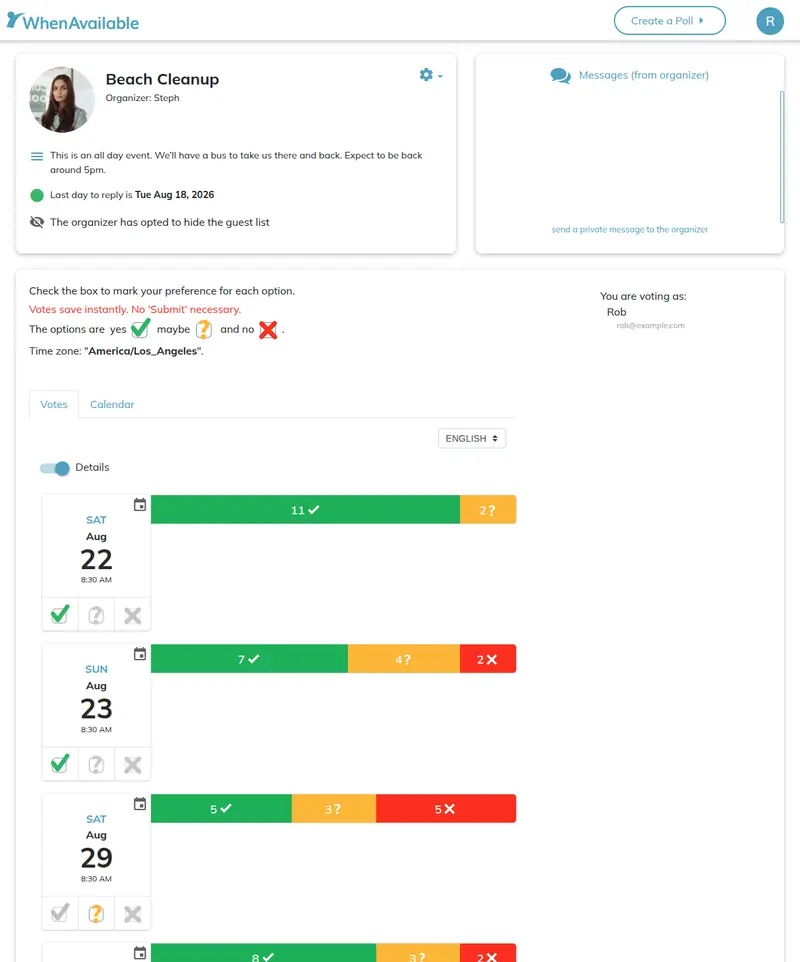
Guest view with hidden guest list: Vote counts remain visible, but participant names and details are hidden.
2. Hide Vote Count & Numbers
When you enable "Hide vote count":
- Both the guest list and total vote counts are completely hidden from participants.
- Each guest can only see their own submitted votes and no other poll results or guest details.
- Table View Restriction: Because hiding vote numbers also hides the guest list, the Table View is not available to guests under this setting.
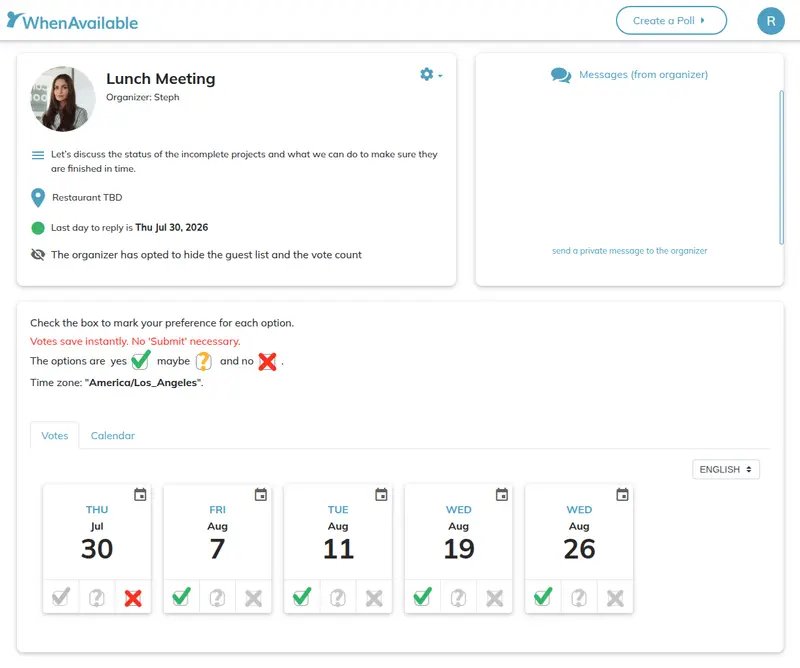
Guest view with hidden vote count: Guests see only their own votes without vote totals or guest lists.
3. Poll Messages & Private Guest Communication
Hiding guests also updates how messages work on your poll to protect participant privacy:
- Organizer-Only Posts: The public message section is limited strictly to the organizer for posting announcements or updates. Guests cannot post public comments when guest lists are hidden.
- Private Messages to Organizer: Organizers can decide whether to allow guests to send them private messages. When enabled, guests can send direct messages that are seen only by the organizer.
4. Timing & Protecting Guest Privacy
When configuring privacy settings for your poll, please keep the following rules in mind:
- Best Practice: Privacy settings should ideally be configured when creating the poll so guests know their votes will remain confidential before they submit their availability.
- Hiding After Voting Has Started: As the organizer, you can choose to hide guests from other guests or hide vote counts at any time after poll creation, even if guests have already started voting.
- Protecting Guest Privacy: Once a poll is hidden, it cannot be made public again. This ensures that any guest who votes while privacy settings are active can rely on their responses remaining confidential and not being revealed later.
Note on Guest Privacy: Enabling privacy options is a permanent setting. To respect guest trust and confidentiality, once a poll has been set to hide guest details or numbers, it cannot be changed back to a visible poll.
💡 Pro-Tip: As the poll organizer, you will always have full access to all guest names, individual response details, public/private messages, and the complete Table View regardless of your privacy settings.